
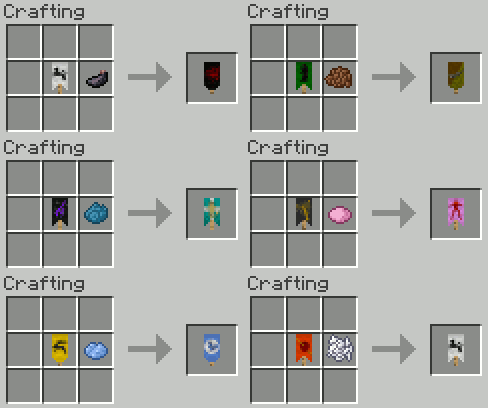
Mine and Blade Mod is a new update for minecraft in which it adds up weapon and the ability to craft it. There are lots of things added to this mod in which you can call it a big update for this game. Now if you press “I” you will see that now you can weild 3 weapons and switch them around according to your liking. You can also press “R” to keep your weapons or ready your weapons for fight. Weapons stats like its attack damages now include critical hits rates and stuff like that. Knight armors and chainmails are two of the new available armors that they add in the game so you should go check them out! Shields have variety of enchantment and resistances in which you could play around with. Shield can also bash monsters back now  You can check the original website for recipes, too much of them that I can’t technically put them here.
Here are the recipes:
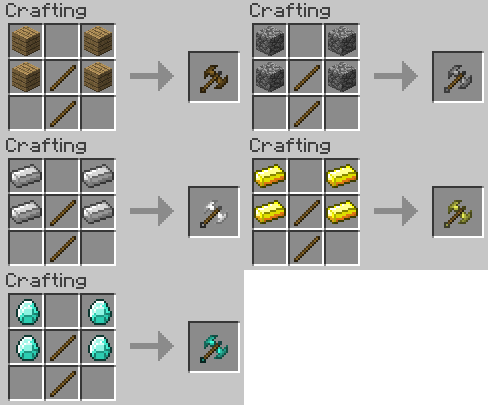
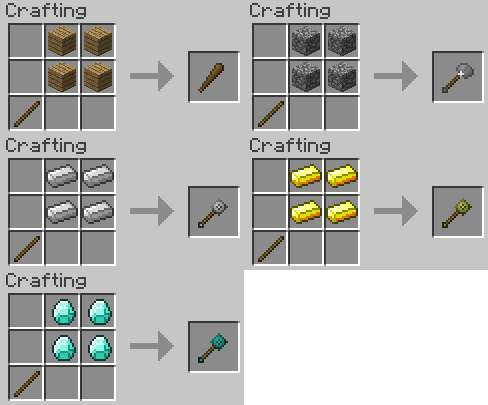
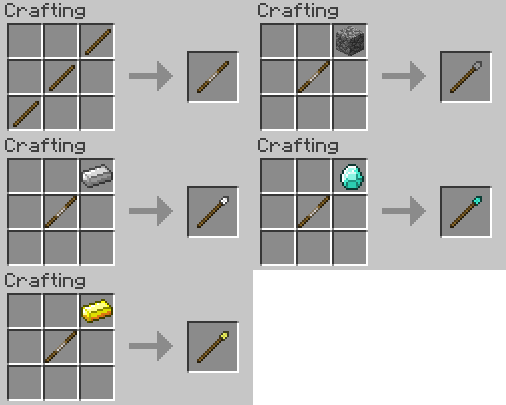
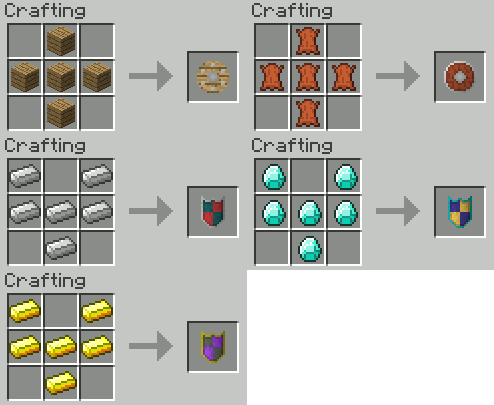
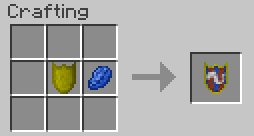
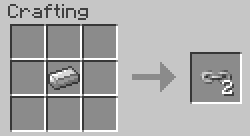
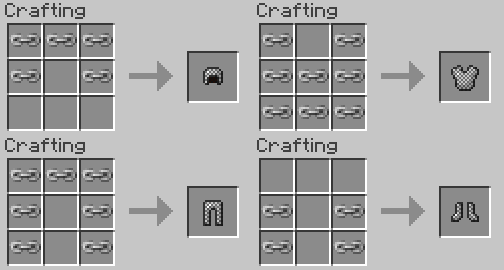
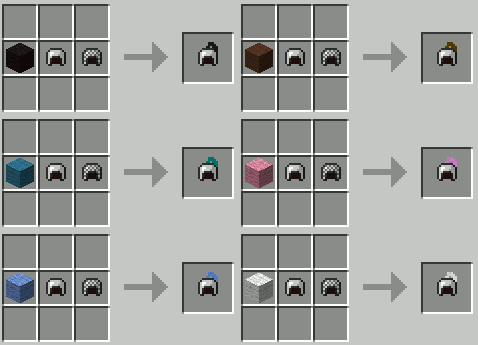
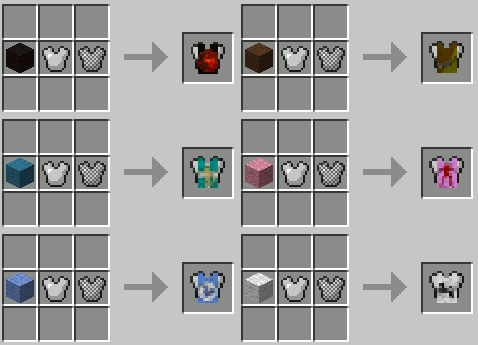
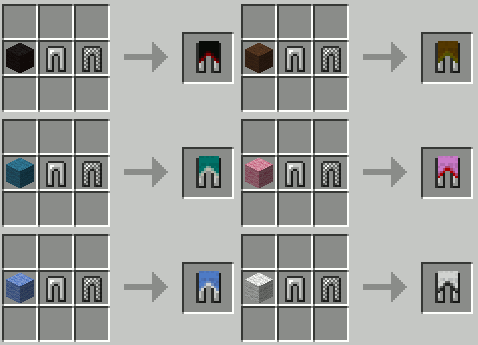
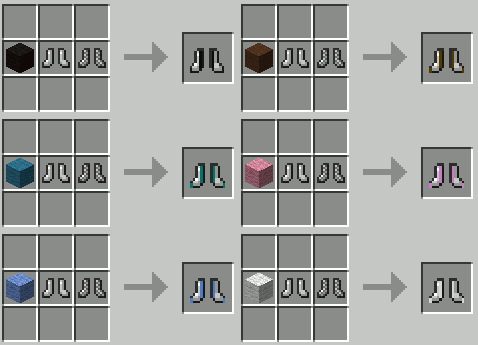
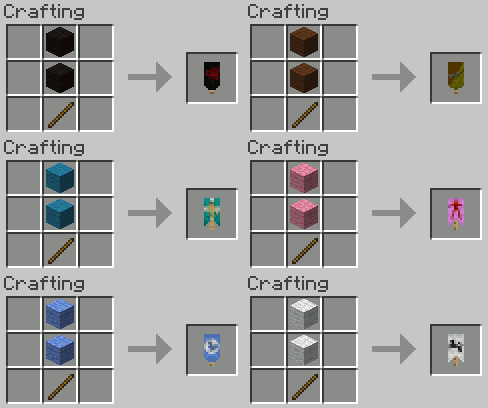
Mine and Blade Mod for Minecraft 1.2.5 Main Features
- New weapons
- Shield Bashing
- Shield Resistance
- Shield Enchantments
- New Armor
How to Install Mine and Blade Mod for Minecraft 1.2.5
- Download the following: Modloader, Minecraft forge API, PlayerAPI, RenderAPI-SPC patch (if you have SPC installed)
- This is technically a mod so you should put this in your “minecraft.jar” files, or another way is just to drag and drop this to your “mod” folder.
- Start Minecraft game
- Then go to mods and texturepacks
- Select “mods” folder
- Drag’n’drop the mod here
- DONE!!!!

Anonymous
worst description for installation ever
Guest
agree and i NEEEEEEEDDDDDDDD THIS MOD!!!!!!!!!!!!!!!!!!!!!!!!!!!!!!!!!!
Required: Name
WHY CANT I CRAFT KNIGHT’S ARMOR?!?!?!?!?!
Required: Name
use mcpatcher
and add the mod in mcpatcher
Required: Name
Where is the actual mod?
asdas
asdasd
Guest
aa
Guest
update it 1.3.2
Guest
i cant download it
Guest
Make the mod again it’s awesome
Guest
THERES ABSOLUTELY NO MOD FOLDER